Back to port
Guide to Edit Your SPF Record on PlanetHoster
Access the Email Authentication area
Enable your SPF
Access the Email Authentication area
Log in to the cPanel at
www.planethoster.net
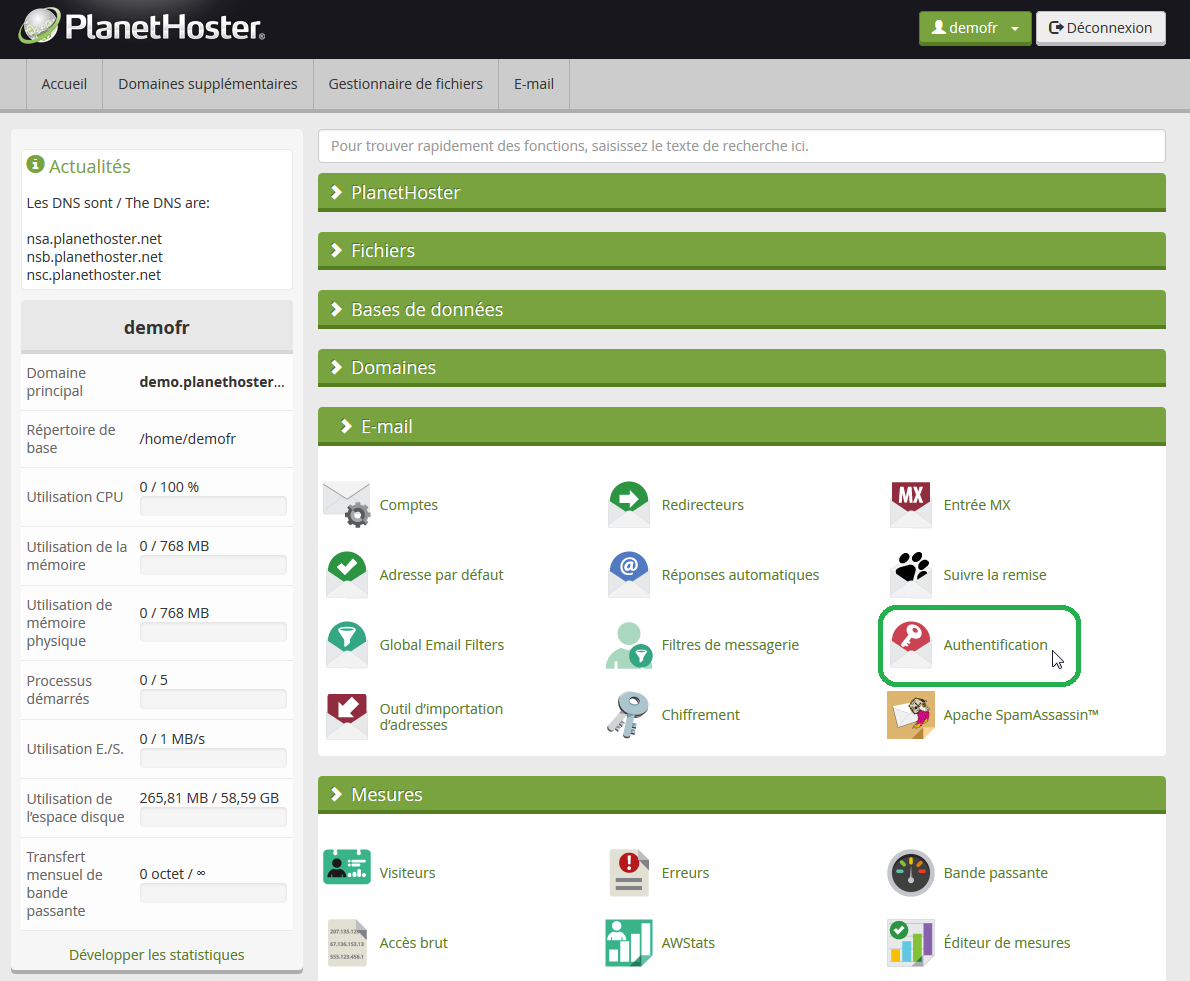
Under the
Mail
tab, click on the
Email Authentication
icon
Back to top
Enable your SPF
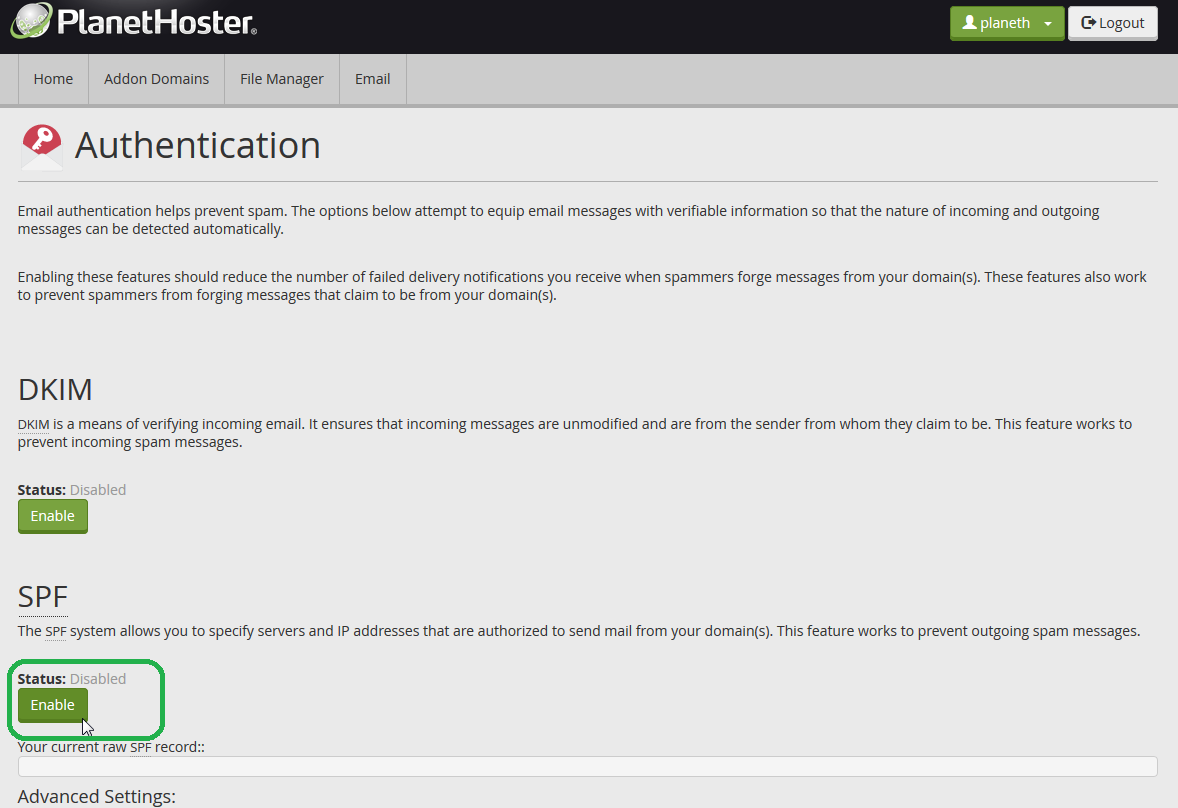
On the Email Authentication area, scroll down to the
SPF
zone
Click on the
Enable
button to enable your SPF entry
Back to top